
Guest WiFi That Works for Everyone — Guests and Your Business
Stop handing out passwords on sticky notes. Give visitors branded WiFi access while capturing emails, enforcing policies, and tracking usage — all from one dashboard.
Setup in 5 minutes · Cancel anytime
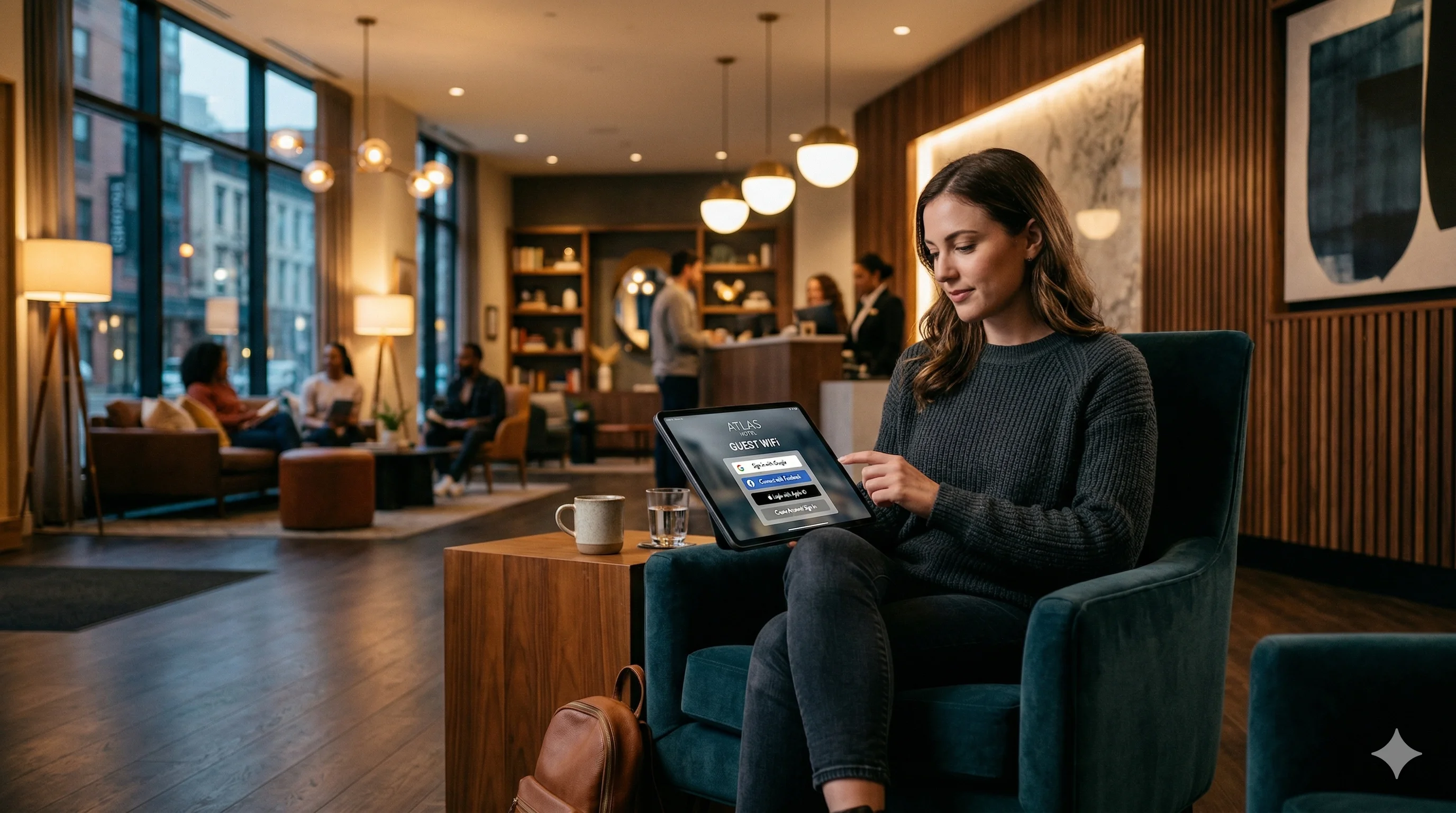
Guest WiFi management lets businesses offer branded, secure visitor WiFi with social login, email capture, and usage analytics. IronWiFi's captive portal works with your existing access points — no new hardware needed. Set up a custom splash page, choose authentication methods like Google, Apple, or email signup, and start collecting visitor data in minutes.
The Guest WiFi Problem Most Businesses Ignore
Sound familiar? You're not alone — and there's a better way
Sharing the Office Password
Giving visitors your main WiFi password means they're on the same network as your servers, printers, and confidential data. One compromised device and you've got a real problem.
No Guest WiFi at All
Telling visitors"sorry, no WiFi" in 2026 is like telling them there's no running water. It signals that your business isn't modern — and they remember.
The IronWiFi Way
A separate, branded guest network with its own captive portal. Visitors get easy access, you get email addresses and full control. Everyone wins.
How Guest WiFi Works — Three Steps, Five Minutes
From zero to branded guest WiFi faster than you'd expect
Create Your Portal
Sign up, pick a template, and choose how guests will authenticate — social login, email, SMS, or just click to accept terms.
Customize Your Brand
Upload your logo, set colors, add a welcome message, and configure your terms of service. Make it look like yours — because it is.
Share Access
Point your access points to IronWiFi, share a link or QR code, and you're live. Guests connect, you collect data, done.
Captive Portal Features That Win Over Guests
Multiple ways for visitors to authenticate — all of them easy
Social Login
Let guests sign in with Google, Apple, or Facebook. One tap, no typing, and you capture their verified email address automatically.
Email Capture
Require an email address to connect. Every visitor becomes a lead you can follow up with — automatically synced to your CRM.
SMS Verification
Send a one-time code to the visitor's phone. Confirms a real person, captures a phone number, and adds another layer of accountability.
Terms Acceptance
Require visitors to accept your acceptable use policy before connecting. Protects your business legally and sets clear expectations.
Click-Through Access
The simplest option — visitors just tap"Connect" on your branded splash page. Perfect for cafes, waiting rooms, and public spaces.
Access Codes
Generate unique codes for events, meetings, or VIP visitors. Set expiration times and usage limits. Great for conferences and event WiFi.
Brand Your Guest WiFi Experience
Your guest WiFi portal is the first digital touchpoint visitors see. Make it count. Every element is customizable — no coding required.
Capture Visitor Data and Convert It Into Revenue
Your guest WiFi isn't just connectivity — it's a lead generation machine
Email Collection
Every guest WiFi login captures a verified email address. Build your marketing list automatically, with zero extra effort from your team.
CRM Integration
Push guest data to Mailchimp, HubSpot, Salesforce, or any platform via webhooks and API. Trigger welcome emails, segment audiences, run campaigns.
Visit Frequency Data
Know which visitors are regulars and which are first-timers. Use visit frequency data to personalize offers and reward loyalty.
Social Profile Data
When guests log in with Google or Facebook, you capture their name, email, and profile data — rich information for targeted marketing.
Control Access and Keep Your Network Secure
Guest WiFi that doesn't compromise your business network
Bandwidth Limits
Set speed caps per user so no one hogs the connection
Time Limits
Auto-expire sessions after 30 minutes, 2 hours, or any duration
VLAN Separation
Guests stay completely isolated from your corporate network
Content Filtering
Block inappropriate content on your guest network
Usage Policies
Define acceptable use terms that guests must accept
Encrypted Auth
All login data is encrypted in transit and at rest
Analytics and Insights About Your Visitors
Know who's connecting, when they visit, and how they use your network
Visitor Counts
Daily, weekly, monthly unique and total connections
Dwell Time
How long visitors stay connected — average and per-session
Repeat Visits
Track returning visitors and measure loyalty trends
Device Types
See the mix of phones, laptops, and tablets on your network
Who Uses Guest WiFi — and Why They Choose IronWiFi
Every industry has visitors. Here's how they put guest WiFi to work.
Retail & Stores
Capture shopper emails while they browse. Turn foot traffic into email subscribers.
Hospitality
Room-based login, loyalty integration, and upsell opportunities on every splash page.
Healthcare
HIPAA-ready patient WiFi that's fully isolated from clinical systems and medical devices.
Coworking & Offices
Separate networks for members and day-pass visitors. Different speeds, different access levels.
Events & Conferences
Unique access codes per event, sponsor branding on splash pages, and attendee analytics.
Education
Campus visitor WiFi for parents, guests, and event attendees — separate from student networks.
Trusted by organizations across 6 global regions
Guest WiFi Questions — Answered
Everything you need to know before getting started
Do I need special hardware for guest WiFi?
No. IronWiFi works with your existing access points from Ubiquiti, Cisco Meraki, Aruba, Ruckus, and other supported vendors. You just point your RADIUS settings to our cloud servers — no appliances to install.
How secure is guest WiFi with IronWiFi?
Very. Guest traffic is isolated from your corporate network via VLAN separation. All authentication is encrypted, sessions auto-expire, and you can set bandwidth limits, content filters, and usage policies per user or group.
Can I customize the guest WiFi login page?
Absolutely. Upload your logo, set your brand colors, add a background image, customize welcome text, and even add promotional banners. The portal editor is drag-and-drop — no coding required.
How much does guest WiFi cost?
Contact us for custom pricing. There are no setup fees, no hardware costs. Contact sales for pricing details.
How many guests can connect at once?
There's no per-user limit from IronWiFi. The number of simultaneous guests depends on your access point capacity. Most businesses support hundreds of concurrent sessions without issues.
Can I integrate guest WiFi data with my CRM or email platform?
Yes. IronWiFi integrates with Mailchimp, HubSpot, Salesforce, and other platforms via webhooks and API. Guest email addresses, names, and visit data can flow directly into your marketing tools.
Talk to a WiFi Identity Specialist
- Walk through a deployment for your industry
- See how similar organizations use IronWiFi
- Get a custom setup plan
Set up in under 30 minutes