Somewhere in your helpdesk queue right now there is a ticket that reads: "Guest WiFi keeps asking me to log in again." The portal is configured to remember devices for 90 days. Nothing changed on your side. What changed is the device: modern phones no longer show networks their real MAC address, and they quietly generate a new one from time to time. The identifier that guest WiFi portals, allowlists, and visitor analytics have leaned on for two decades has become a moving target.
This is not a bug, and it is not going away - it is a deliberate privacy shift by the operating system vendors, now formally documented by the IETF and being accommodated by the IEEE. Here is what changed, what it breaks, what the standards bodies are doing about it, and how to build WiFi authentication that does not care.
Why Do Phones Randomize Their MAC Addresses?
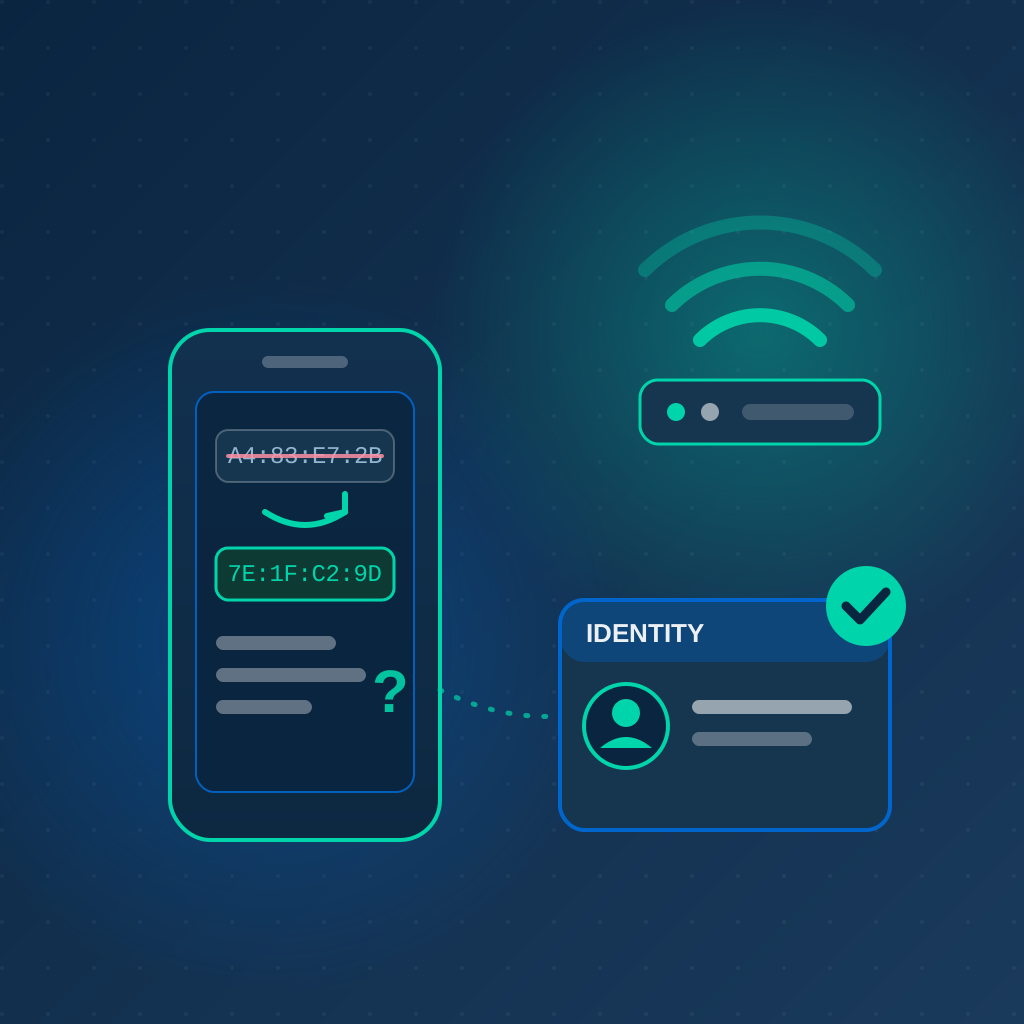
A MAC address is the layer-2 identifier a device presents to the network, and it is transmitted in the clear in every frame - even on encrypted networks. For years that made it a perfect tracking beacon: anyone with a WiFi sniffer could log which devices appeared where, and location-analytics vendors built entire businesses on following hardware addresses through shopping malls and airports. The operating system vendors responded by cutting the cord between the device and its burned-in address.
Where the defaults stand today:
- Apple: iPhones and iPads have used a private WiFi address - a randomized MAC generated per network - since iOS 14. iOS 18 went further: each network gets an Off, Fixed, or Rotating setting, and in Rotating mode the device generates a fresh private address roughly every two weeks. Rotating is the default on networks with weak or no security; Fixed is the default on WPA2 or stronger
- Android: since Android 10, devices connect with a randomized MAC per saved network by default. Android 12 added non-persistent randomization, which generates a new address at the start of a connection for certain networks - notably open networks that have never presented a captive portal
- Windows: random hardware addresses remain an opt-in setting rather than a default, configurable globally or per network
The IETF's MADINAS working group catalogued all of this in RFC 9724, published in March 2025, with a companion document (RFC 9797) mapping the network services that randomization disrupts. The direction of travel is unambiguous: device identifiers are becoming more private, not less.
The Default Has Flipped
On the two operating systems that dominate guest networks, the hardware MAC address is now what you see by exception, not by rule. Any process on your network that assumes a MAC address is stable across visits is running on borrowed time - plan on the assumption that every MAC you log is temporary.
What Breaks When Every Device Looks New?
Within a single session, nothing. A device keeps one address for the duration of an association, so DHCP, the connection itself, and per-session policy all work normally. What dies is continuity between visits - the ability to recognize that today's device is the same one you saw last week:
- Returning-guest recognition. A portal's "remember this device" feature is a MAC allowlist under the hood. And note the cruel default: iOS picks its two-week Rotating mode precisely on open networks - the security posture most guest WiFi runs on - so your regulars reappear as strangers, hit the splash page again, and file tickets
- MAC-based access rules. Allowlists, walled-garden bypass entries, and bans keyed to a MAC address all silently expire when the address rotates
- MAC authentication for headless devices. Printers and industrial sensors mostly still use their factory address, but tablets used as kiosks, consumer smart devices, and BYOD hardware increasingly do not - and MAC auth was already the weakest link in the chain, since addresses can be trivially spoofed
- Per-device policy. Bandwidth caps, quota enforcement, and abuse blocks keyed by MAC reset themselves whenever the device does
- Visitor analytics. Unique-visitor counts inflate and repeat-visit metrics collapse when one phone shows up as several devices - a real problem if your guest WiFi doubles as a customer-insights channel
- Troubleshooting. Correlating yesterday's logs with today's incident gets harder when the same laptop has three different addresses in a week
Will IEEE 802.11bh Fix This?
Eventually, partially. The standards world is working both ends of the problem: the IETF documented the impacts, and the IEEE amended the WiFi standard itself. IEEE 802.11bh-2024, published in June 2025, adds opt-in mechanisms - a network-assigned device ID and "identifiable random MAC" addresses - that let a device prove to a network it trusts that it is a returning client, while remaining unrecognizable everywhere else. It is a thoughtful design: recognition becomes a consent-based feature instead of a surveillance side effect.
The catch is deployment. Both the client operating system and your access points need to support the amendment before any of it works, and that kind of ecosystem rollout is measured in years, not quarters. Treat 802.11bh as future relief, not as this year's architecture. The networks that cope well with randomization today are the ones that stopped depending on layer-2 identity altogether.
How Do You Authenticate Devices You Can't Recognize by MAC?
Move identity up the stack. Instead of asking "have I seen this address before?", ask the device to present a credential that survives any number of address changes:
Employees and BYOD: Certificates over 802.1X
On a WPA-Enterprise (802.1X) network, identity lives in the authentication exchange, not the MAC address. With EAP-TLS, each device carries its own certificate; the RADIUS server knows exactly who connected regardless of what address the device presents, and every session maps to a named user or machine. If you are still on a shared password, our guide to certificate-based WiFi authentication covers the migration.
Guests You Want Back: Passpoint
For visitors who return regularly - hotel guests, coworking members, frequent flyers - Passpoint installs a profile with a real credential on the device. Reconnection is automatic and authenticated, so recognition no longer depends on the MAC at all. The operating systems cooperate, too: Android keeps its randomized address stable per Passpoint profile, deriving it from the profile's operator identity rather than the SSID. We compared the two guest models in detail in Passpoint vs captive portals.
Casual Guests: Capture a Credential, Not an Address
For walk-in visitors, key your captive portal recognition to something the user gives you - an email login, a voucher code, a social or OAuth identity - instead of the device address. A returning guest who signs in with the same email is the same guest, whatever their phone decides to call itself this week.
IoT and Headless Devices: Certificates over MAC Auth
Where you can, replace MAC authentication with per-device certificates enrolled at provisioning time. Certificates are immune to both randomization and spoofing - the two failure modes MAC auth was always exposed to - and they give each device a revocable identity instead of an assumed one.
A Privacy Dividend
Credential-based recognition is not just more reliable - it is more honest. The user who signs in or installs a profile has consented to being recognized; the passerby whose phone rotates its address stays anonymous. That is exactly the split MAC randomization was designed to create, and it is a much easier story to tell under GDPR and similar privacy regimes.
Ready for WiFi That Doesn't Care What the MAC Address Is?
IronWiFi authenticates every connection against real identity - 802.1X certificates, Passpoint profiles, and credential-based guest portals - so device recognition survives every address rotation.
Start Free Trial Explore Cloud RADIUSConclusion
The era of the MAC address as a device identity is over. Apple and Google ended it deliberately, the IETF has written its state of affairs down in an RFC, and the IEEE's fix will take years to reach the access points in your ceiling. None of that has to hurt: every function that used to lean on the MAC - guest recognition, access control, per-device policy, analytics - has a credential-based replacement that works better and spoofs worse.
The practical next step is an audit. List every place your network trusts a MAC address: portal remember-lists, bypass entries, MAC auth rules, firewall exceptions, analytics dashboards. For each one, decide what credential replaces it - a certificate, a Passpoint profile, or a portal login. The devices on your network are already randomizing; the only question is whether your authentication noticed.

Daniel Konecny
Blog Writer, IronWiFi
Daniel writes about enterprise WiFi authentication and identity security at IronWiFi. With deep expertise in RADIUS, 802.1X, and cloud infrastructure, he covers practical network security for IT teams managing thousands of devices.
About the author